Background playback
Keep audio playing while you use other apps. Use notification controls on Android, or lock-screen controls and AirPlay on iPhone and iPad.
 Radio TravelerPLAYBACK THAT FITS YOUR DAY
Your media player for Android, iPhone and iPad. Enjoy background playback and smart autoplay, add M3U playlists for IPTV and radio, or play music stored on your device.


DESIGNED FOR REAL LIFE
Bring your IPTV and radio playlists together with the music on your device. Set playback to respond to your connections, and keep your audio playing while you use other apps. On iPhone and iPad, use AirPlay, lock-screen controls and your own Shortcuts automations.
Keep audio playing while you use other apps. Use notification controls on Android, or lock-screen controls and AirPlay on iPhone and iPad.
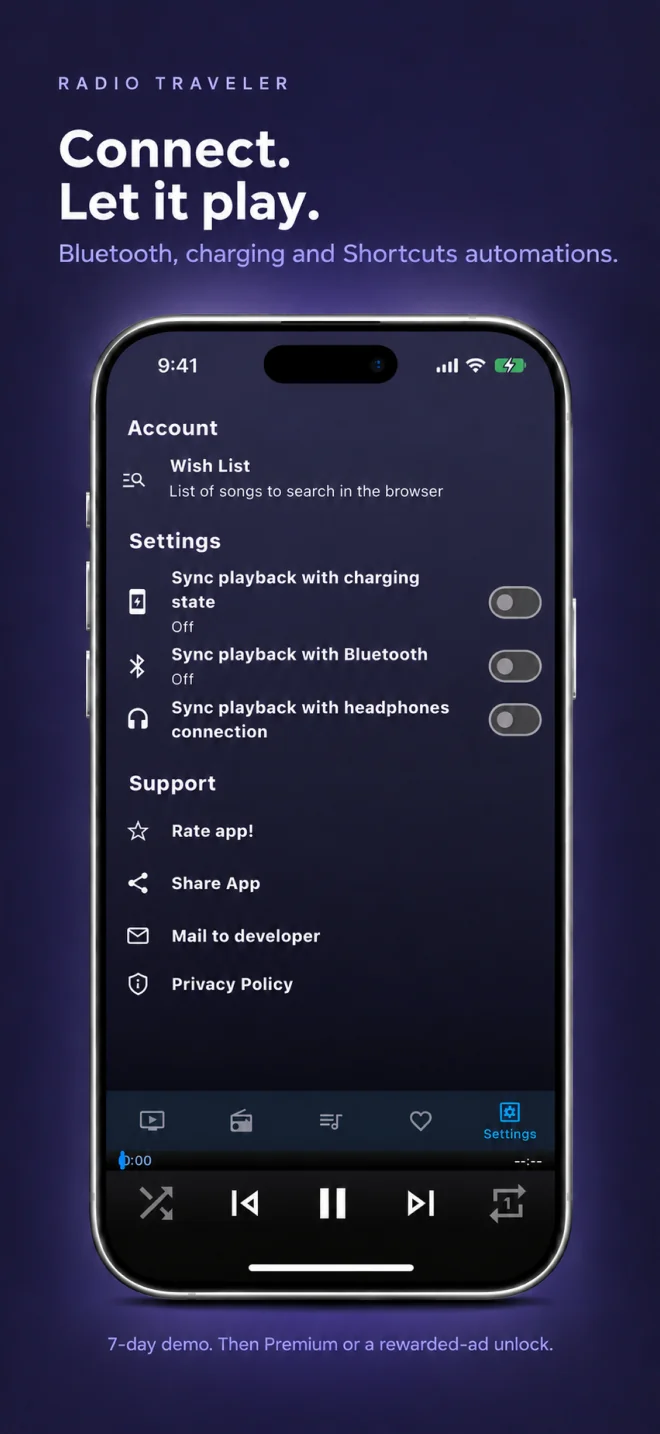
Sync playback with Bluetooth, headphones or charging. On iPhone and iPad, connection sync works while the app is running; Play Radio and Pause Radio actions are also available for your Shortcuts automations.
Add your own IPTV and radio playlists from a link or file. M3U, M3U8 and PLS formats are supported.
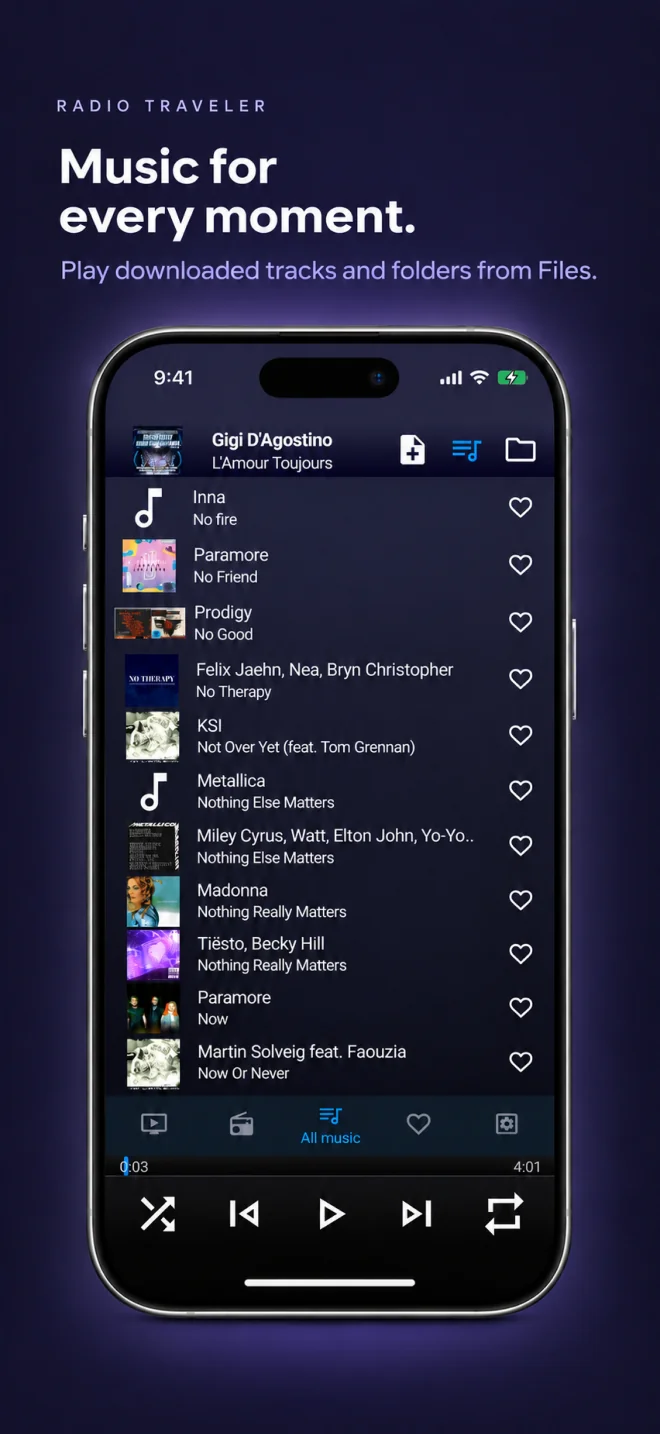
Play music stored on your device, even when you are offline. On iPhone and iPad, choose downloaded Music tracks or audio files and folders in Files.
Import your stations on Android, iPhone or iPad.
On Android, connect your phone to a compatible car. Open Radio Traveler in Android Auto, select Radio, then choose a group and tap a station.
On iPhone and iPad, listen in the background or use the Play Radio and Pause Radio actions in Shortcuts.
INSIDE THE APP · iPhone
App screenshots and store artwork. Store availability and terms can change.
INSIDE THE APP · iPad
App screenshots and store artwork. Store availability and terms can change.
THREE SIMPLE STEPS
Import an M3U IPTV or radio playlist, or choose music on your device.
Choose playback sync for your connections. On iPhone and iPad, you can also create Shortcuts automations.
Watch your streams or keep audio playing in the background.
AT A GLANCE
Free to download on Android, iPhone and iPad. Radio and local music playback are free. On iPhone and iPad, all features are available for the first 7 days. After that, playback sync and Wish List search require an optional auto-renewing Premium subscription or a rewarded-ad unlock for one use. Android includes ads and optional in-app purchases. See your store for current offers and terms.
IPTV and radio streams need an internet connection. Advertising, purchases and other services may process usage-related data, and data practices may differ by platform. Review the privacy policy and your store’s current privacy disclosure for details.
BEFORE YOU DOWNLOAD
Music stored on your device plays offline. IPTV, live radio and other online streams require an internet connection.
Yes. Download Radio Traveler from the App Store for iPhone and iPad. It currently requires iOS 18.5 or later, or iPadOS 18.5 or later. Check the store for current compatibility.
Yes. Add your own M3U IPTV and radio playlists from a link or file. M3U8 and PLS playlists are also supported.
You can configure playback to react to headphones, Bluetooth or charging. On iPhone and iPad, connection sync works while the app is running. Play Radio and Pause Radio actions let you set up your own Shortcuts automations.
Yes, the Android version supports Android Auto. On iPhone and iPad, the app provides AirPlay and Shortcuts actions.
Yes. The download, radio and local music playback are free. On iPhone and iPad, all features are available for 7 days; after that, playback sync and Wish List search open with Premium or a rewarded-ad unlock for one use. Android includes ads and optional purchases. Check your store for current terms.
Find Radio Traveler on the App Store and Google Play.
ALSO BY THE SAME CREATOR